


In the fast-paced world of sports, keeping your website’s audience updated with a real-time football score is essential. Whether you’re a sports news website, a fan community, or running a fantasy football league, integrating Football APIs for live score updates can enhance user experience and keep visitors engaged. In this guide, we’ll walk you through the process of using a sports API to provide live score updates on your website, focusing on Entity Sport’s Football API.
What is a Football API?
First, let’s start with what a Football API actually is. An API (Application Programming Interface) is a set of rules and protocols allowing different software applications to communicate. In the context of football, an API provides access to a vast database of real-time and historical football data, including scores, player statistics, team information, and more. Think of it as a football data feed that keeps your platform continuously updated with the latest match information. Entity Sport’s Football API, for example, provides a treasure trove of data, including more than 100 leagues, 10,000 matches from over 100 countries, and features such as live scores, player stats, rosters, competition stats, team stats, and fantasy points data.
Benefits of Live Score Updates in Football API
Integrating live score updates on your website offers several advantages:
Real-Time Engagement: Users can follow every live football score and stay engaged with your website, spending more time browsing your content.
Enhanced User Experience: Live scores provide immediate information, catering to the needs of football fans who crave up-to-the-minute updates.
Increased Traffic: Live scores can attract more visitors to your website, especially during popular matches and tournaments.
Competitive Edge: If you’re running a fantasy football platform, providing real-time data helps users make informed decisions and stay competitive.
If you’re just getting into the business of sports data, here’s an in-depth guide on Football API to get you familiar with the world of sports interfaces.
Steps to Integrate Football API for Live Scores
Here’s how you can use Entity Sport’s Football API to display live score updates on your website:
1. Choose Entity Sport’s Football API
Start by selecting Entity Sport’s Football API, a reliable provider that offers a comprehensive set of data, including real-time scores, fixtures, team and player information, and other relevant data points.
2. Register for an API Key
To access Entity Sport’s API, you’ll typically need an API key. Register with Entity Sport to obtain your unique API key. This key will be used to authenticate your requests to the API.
Login to Dashboard –>Applications
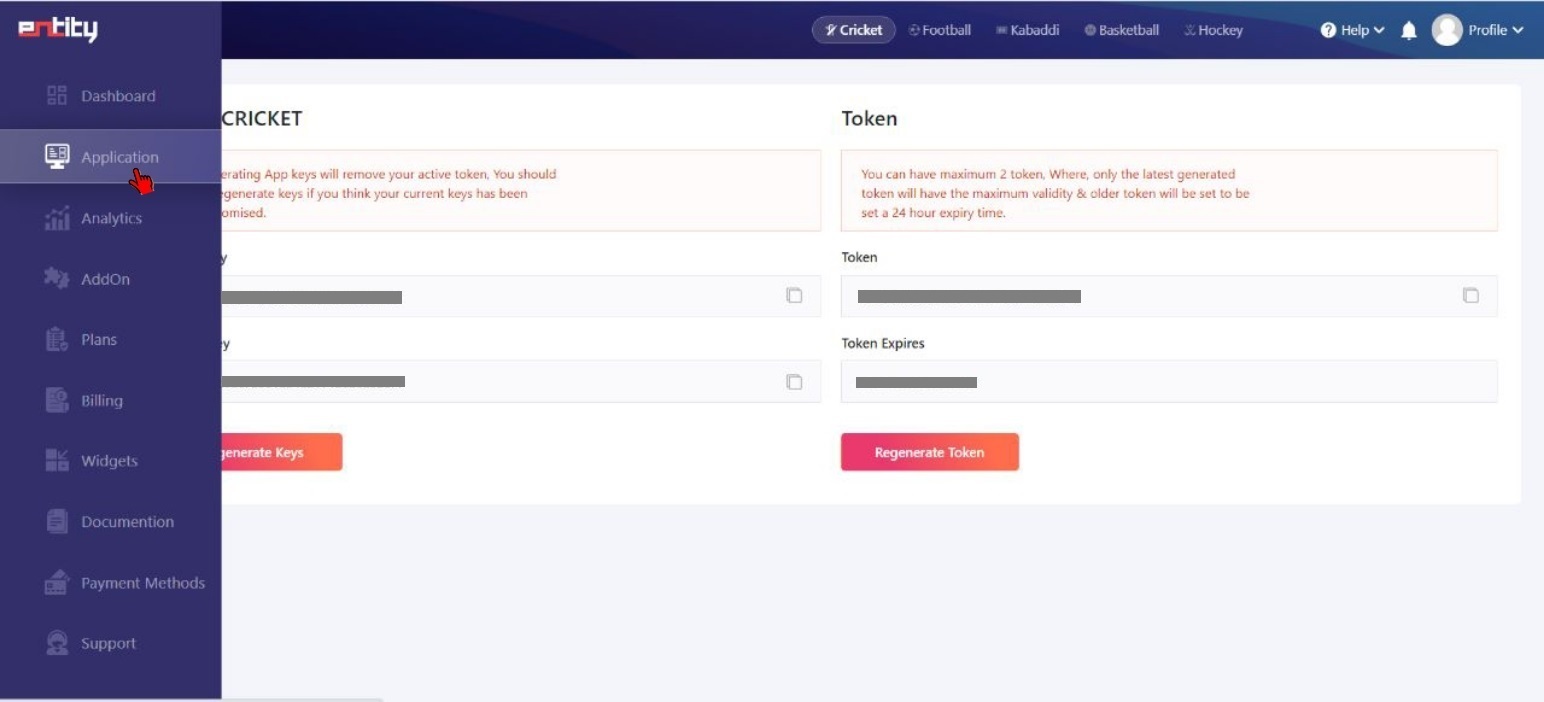
Applications–>Token
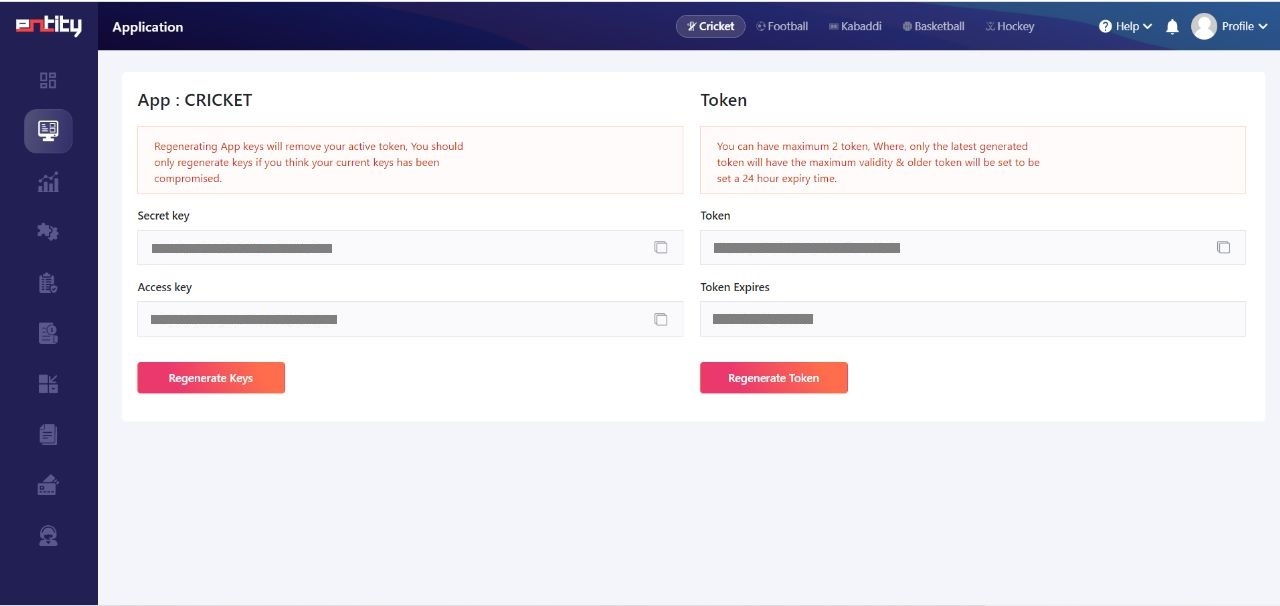
3. API Documentation
Familiarize yourself with Entity Sport’s API documentation, which will provide details on how to make requests, what data is available, and any specific requirements for integration.
4. Develop or Configure Your Website
Depending on your technical expertise, you can choose to develop a custom solution or use existing plugins or libraries for your website platform (e.g., WordPress, Joomla, or custom-coded websites).
5. Make API Requests
Using your Entity Sport’s API key, make requests to fetch the live score data you need. Entity Sport’s Football API offers a wide coverage, including schedules, live scores, player stats, rosters, and more.
It’s straightforward to request data from the Entity Sports Football API. You can make a request by passing the access token that you got from the API Key to our API Server to get access to a live football data feed.
Here’s an example of a sample request.

6. Display the Data
Once you have the data, display it on your website in a user-friendly format. You can create a live football score widget or a dedicated scores page or integrate it into existing football-related content.
7. Regularly Update Scores
Set up a mechanism to regularly update scores in real-time, ensuring your users receive the latest information without delay.
Additional Tips
Optimize for Mobile: Ensure that your live scores delivered via the sports API are accessible and look great on mobile devices to cater to users on the go.
Customization: Consider offering customization options such as notifications for favorite teams or leagues.
Branding: Customize the appearance of the live score widget to match your website’s branding.
Legal Considerations: Be aware of any legal and copyright issues related to using live score data, and ensure compliance with Entity Sport’s terms and conditions.
Conclusion
By following these steps and tips, you can seamlessly integrate Entity Sport’s Football API for live score updates on your website, providing an enhanced user experience and keeping your audience engaged. Whether you’re a sports news website, a fan community, or a fantasy football platform, displaying a real-time football score can help you stand out in the competitive world of online sports content.
READ MORE:
How to Get Detailed Cricketer Profiles Using Entity Sport’s Cricket API?
Managing Errors and Ensuring Smooth Operation with Entity Sport’s Various Sports APIs
How to Create Informative Cricket Infographics using Entity Sport’s Cricket API Data?